
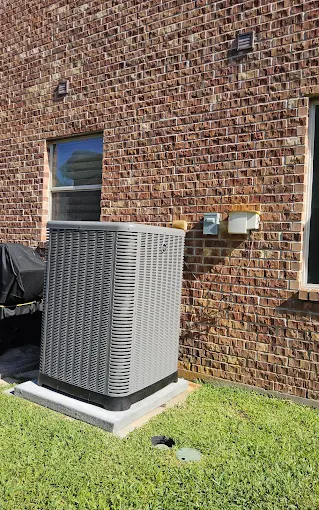
Air Conditioning Filter Strategies for Cleaner Indoor Air
The Woodlands summer air feels different than most places—warm, humid, and stubborn. Even when your AC is blowing cold, indoor air can still feel “stuffy,” allergy symptoms can linger, and dust seems to reappear on every surface. In many homes, the root cause isn’t the thermostat or even the size of the system. It’s usually the combination of airflow, humidity, and the way the HVAC filter is selected and maintained.
One afternoon last July, we walked into a client’s home where the AC ran constantly, yet the upstairs bedrooms felt warmer and the air smelled faintly musty. The filter looked “clean enough,” but the pleats were coated with a gray film and the return grille had dust piled around it. That’s a common technician observation: a filter can still look usable while airflow is already restricted and indoor air is being recirculated without enough cleaning.
This guide lays out practical air conditioning filter strategies to help you get cleaner indoor air—without accidentally starving your system for airflow.
Quick Answer
To improve indoor air with your AC, focus on three things:
- Match the filter to your system’s airflow requirements (not just the “highest MERV number” you can find).
- Replace on schedule based on local conditions and household factors (pets, allergies, dust).
- Use a filtration approach that addresses both particles and humidity/odor drivers—because filters alone don’t solve moisture problems.
If you’re seeing persistent dust, allergy flare-ups, or musty odors, the best next step is a quick assessment of your filter setup, return airflow, and duct/coil cleanliness—not just swapping filters blindly.
What Homeowners Often Overlook
Most filter problems aren’t dramatic. They’re gradual, and they show up as comfort complaints:
- “The AC runs a lot, but the bedrooms don’t feel as cool.”
- “We changed the filter once, and it seemed fine—then the issue came back.”
- “We can’t keep dust down.”
- “The air smells stale after the system runs for a while.”
In Southeast Texas, humidity and frequent cooling cycles make these issues more noticeable. A filter can trap particles, but if it becomes overloaded or if the wrong filter is installed, the system may compensate by running longer and moving less air through the coil—reducing dehumidification and making indoor air feel uncomfortable.
What We Commonly See in Southeast Texas HVAC Systems
1) Filters installed “just because”
Some homes use thick, high-efficiency filters without confirming fit and pressure capability. Others use the cheapest fiberglass filters and expect them to handle allergies and fine particles. Both approaches can backfire.
2) Return paths are dusty or blocked
A filter can only clean air that actually moves through it. If return grilles are blocked by furniture, or if the return duct is dirty, you’ll get uneven cleaning and poorer overall comfort.
3) Humidity makes “air quality” problems feel worse
In our region, AC is doing double duty—cooling and dehumidifying. When airflow is restricted (often by the wrong filter or a filter installed incorrectly), the system can struggle to remove moisture effectively. That can lead to musty smells and more dust settling.
4) Homeowners replace filters by calendar only
Some households need more frequent changes during heavy pollen seasons or when windows are open more often. In humid climates, filters can load faster than expected.
Common Mistakes That Increase Energy Costs
Here are the mistakes we see most often—because they’re easy to do and hard to notice until utility bills and comfort complaints climb.
Common mistake homeowners make: “Higher MERV always means better”
A higher MERV rating can capture more fine particles, but it also increases resistance to airflow. If your system wasn’t designed for that pressure drop, you may get:
- longer run times
- less airflow across the coil
- reduced humidity removal
- possible icing or coil performance issues (depending on system design)
Other frequent filter-related missteps
- Installing the filter backwards (some frames have airflow arrows; follow them).
- Skipping the filter brand/size and forcing a poor fit.
- Using a thicker filter than the slot allows, causing air to bypass through gaps.
- Waiting until the filter is visibly packed, instead of replacing based on loading conditions.
Repair, Installation, or Efficiency: The Right Filter Strategy
The best filter plan depends on your home, allergies, pets, and how your AC is set up. Here’s a practical approach that works in real homes.
Step 1: Identify your filter size and your system’s limits
Check the filter rack label for the exact dimensions (and thickness). Then consider your HVAC configuration—especially if you have a variable-speed blower or a system retrofit.
If you’re unsure, it’s worth having a technician verify airflow and static pressure impacts during routine maintenance. A small mismatch can create big comfort problems.
If you’re also planning service work, you can pair this check with air conditioning tune-ups to ensure the blower and coil are performing as expected.
Step 2: Choose filtration for your actual indoor air goals
A useful way to think about it:
- Basic dust control (general housekeeping, minimal allergy issues): a standard approach can be fine, but don’t use filters that are too low-quality for your needs.
- Allergy and asthma support: you may want a higher MERV option, but only if the system can handle it without sacrificing airflow.
- Whole-home air quality upgrades: sometimes filtration alone isn’t enough—especially if humidity and odors are part of the complaint.
If allergies are a concern, pairing filtration with targeted upgrades can make a noticeable difference. For homeowners focused on cleaner air beyond the filter media, explore air filtration system installation and filtration-focused solutions.
Step 3: Replace on a schedule that reflects your conditions
In Southeast Texas, filter loading can be faster due to humidity and pollen. A common baseline is:
- Check every 2–4 weeks during peak pollen/hot months
- Replace when resistance increases or when the filter looks noticeably loaded
- Use shorter intervals if you have pets or frequent indoor dust
If you typically go longer than that and your home feels “drier” only after filter changes, that’s a strong indicator you’re waiting too long.
Step 4: Make sure airflow paths are clean and unobstructed
Even a great filter can’t compensate for:
- dirty returns
- clogged ducts
- blocked grilles
- bypassing around an incorrectly installed filter
This is where ductwork and system cleanliness come into play. If your house has older ductwork or you suspect leakage or buildup, ask about duct sealing and related service options—especially if you’ve noticed room-to-room temperature differences. For duct-focused support, see duct repair services as part of improving comfort and overall system efficiency.
Step 5: Don’t ignore coil and airflow performance
A dirty indoor coil or restricted airflow can make filters feel like they “aren’t working,” even when you’re using the right media. If your system is producing less dehumidification than it used to, filtration may be only part of the story.
For example, if you’re dealing with inconsistent cooling or poor humidity control, it may be time to pair your filter strategy with air conditioning repair services—especially if there’s evidence of airflow problems, refrigerant issues, or failing components.
Optional Comparison Table: Filter Choices That Don’t Fight Your System
| Goal | Typical Filter Approach | Best Practice |
|---|---|---|
| Reduce everyday dust | Standard filtration | Replace on schedule; ensure correct fit |
| Help with allergies | Higher-quality media (often higher MERV) | Confirm system airflow can handle it |
| Improve overall “freshness” | Filtration + humidity/odor management | Address moisture first; consider whole-home solutions |
| Reduce musty smells | Filtration alone usually isn’t enough | Check coil cleanliness and humidity/duct factors |
If you’re not sure which category fits your home, a technician can assess airflow and recommend a filter level that won’t compromise comfort.
The Woodlands / Southeast Texas Relevance: Why Humidity Changes the Filter Conversation
In our area, the AC runs through long cooling cycles. That matters because filters don’t just capture dust—they also become part of the system’s pressure and airflow balance. When airflow drops, the coil may not dehumidify as effectively. That’s how you can end up with a house that feels cool but not comfortable: humidity stays higher, air feels sticky, and airborne particles keep circulating longer.
We also see more dust accumulation in homes with:
- older return duct configurations
- attic heat exposure (which can increase system workload)
- recurring moisture episodes that contribute to odor and buildup
Filter strategy is still important—just make sure it’s paired with a system that can move air the way it was designed to.
Real Service Example (Anonymized)
A family in The Woodlands noticed their AC “worked,” but their living room always felt cleaner than the bedrooms. They used a mid-range filter and changed it every month. During a visit, we found the upstairs return path was dusty, and the filter rack had minor gaps where air could bypass.
We recommended:
- correcting filter fit (no gaps, correct orientation)
- adjusting the replacement interval based on observed loading
- checking airflow and return performance during the tune-up
After the changes, the bedrooms improved first. Comfort didn’t depend on “more filtration,” but on getting the air to actually go through the filter and across the coil with enough airflow to remove moisture effectively.
HVAC Maintenance Checklist (Filter + Comfort Focus)
Use this simple checklist each season or monthly during heavy use:
- Confirm filter size and thickness match the filter rack exactly.
- Install the filter with correct airflow direction.
- Inspect filters every 2–4 weeks during peak heat/pollen; replace when loaded.
- Check return grilles for dust buildup and ensure nothing blocks them.
- Look for gaps around the filter frame (bypass air means less filtration).
- Schedule a tune-up so the blower speed, coil condition, and airflow are verified.
- Watch for symptoms: musty odors, rising humidity, uneven temperatures, or increasing runtime.
If you’re due for a broader system check, coordinating with heating tune-ups (even in shoulder seasons) helps you keep the system’s airflow and comfort balanced year-round.
Quick Answer: Repair vs Replacement (When Filters Aren’t the Fix)
If you’ve tried the right filter size and replacement schedule, but comfort still doesn’t improve, it’s time to look deeper. Filter upgrades rarely solve problems caused by:
- weak blower performance
- clogged coil or restricted airflow
- refrigerant issues
- failing components that limit dehumidification
- duct leaks or poor return paths
A common scenario: homeowners assume they need a “better filter,” but the real issue is a system that can’t move enough air consistently.
If you’re seeing persistent issues, a service visit can determine whether you need a repair, an airflow correction, or a system upgrade. And if your home is considering a new comfort approach, you may also want to review mini split ac installation contractor options for improved zoning and comfort—especially where ductwork is challenging.
What Businesses Should Know (Commercial Filter Strategy)
Commercial spaces face different pressures: higher occupancy, more frequent door openings, and often larger return systems. Filters are still critical, but the strategy must match:
- the building’s airflow design
- how rooftop units or air handlers are configured
- the acceptable pressure drop for the equipment
If you manage a facility and air quality complaints are rising, it’s worth pairing filtration strategy with system performance checks. For commercial-focused support, consider commercial air conditioning installation planning or maintenance conversations—especially before peak seasons.
HVAC Maintenance Checklist (Energy Efficiency Angle)
Cleaner air and better comfort go hand in hand with efficiency. Keep this in mind:
- Restricted airflow increases runtime, which increases energy use.
- Proper filtration reduces dust buildup on components, supporting stable performance.
- Humidity control affects comfort—a slightly warmer thermostat setting can still feel comfortable if the air isn’t overly humid.
If your system is running longer than it used to, don’t assume it’s “just the weather.” Check the filter strategy first, then verify airflow and coil condition.
Key Takeaway
The best filter strategy is the one that your HVAC system can support. In Southeast Texas, that usually means using the correct filter size, replacing it based on real loading, and ensuring airflow isn’t compromised—so your AC can dehumidify and clean the air effectively.
Signs Your HVAC System Needs Attention
If any of these are happening, filters alone aren’t enough:
- musty odor after AC has been running
- rising indoor humidity despite frequent cooling
- rooms that never feel “the same” temperature
- increasing dust accumulation shortly after filter changes
- sudden comfort drop after a filter swap
Ready to Improve Your Indoor Comfort and Energy Efficiency?
Cleaner indoor air starts with the basics done correctly: the right filter, installed properly, with a replacement schedule that matches your home’s conditions. If you’d like help dialing in filtration and airflow for your system, Conley Cooling and Heating can assess what’s happening and recommend the most comfortable, efficient path forward.
About Conley Cooling and Heating
Conley Cooling and Heating provides AC repair, air conditioning installation, heating services, indoor air quality solutions, ductwork services, ductless mini splits, heat pump systems, thermostat upgrades, and commercial HVAC support throughout The Woodlands, TX and surrounding Southeast Texas communities. The company focuses on reliable comfort solutions, energy-efficient system performance, indoor air quality improvement, and helping homeowners and businesses maintain dependable heating and cooling year-round.